

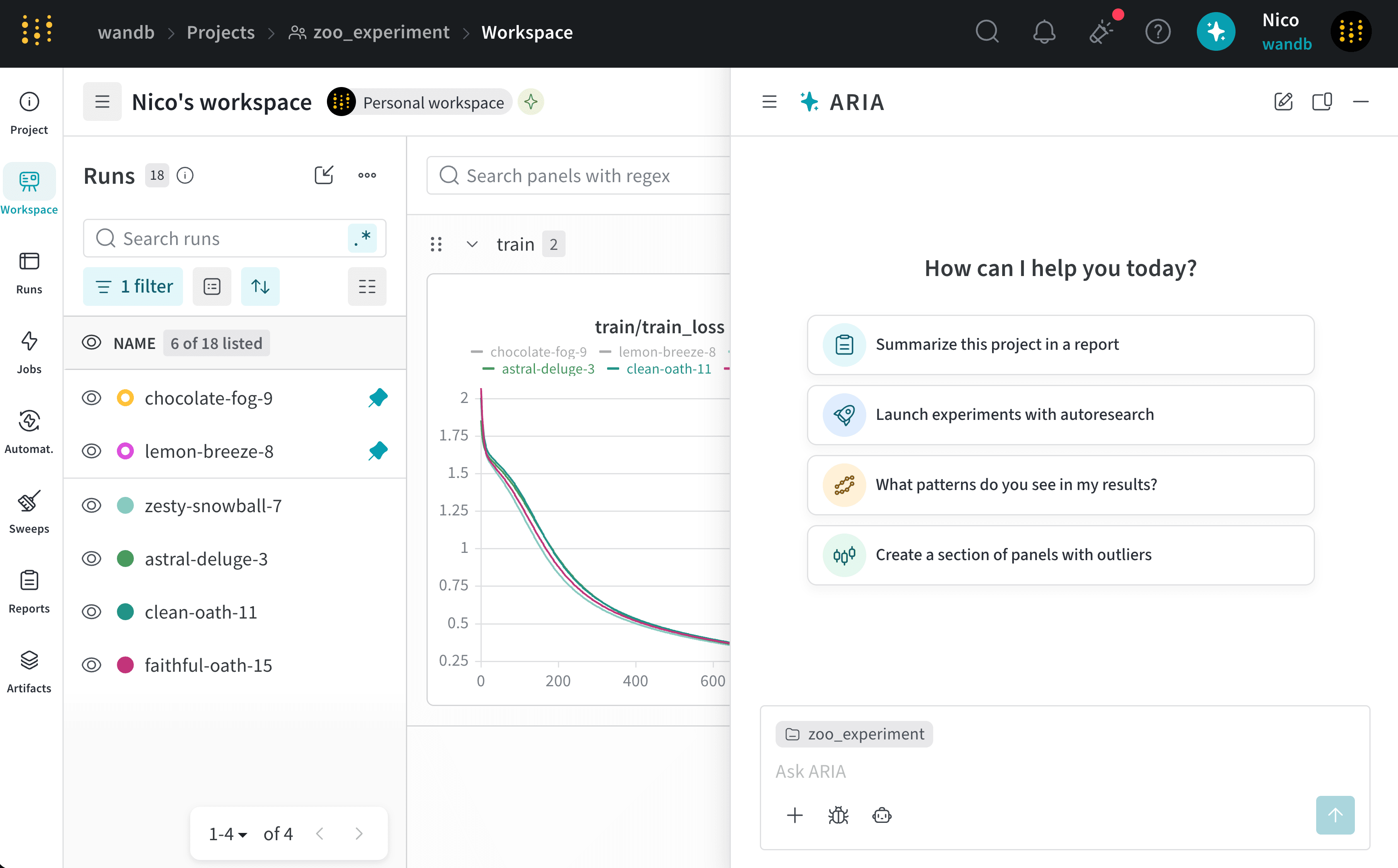
- Analyze experiments to find patterns and insights.
- Run experiments and sweeps to test new ideas.
- Propose next steps, such as recommending hyperparameters to try.
- Create plots and panels to visualize your data.
- Build saved views and reports to share insights with your team.
- From any project, click the blue circle at the upper right corner of the page.
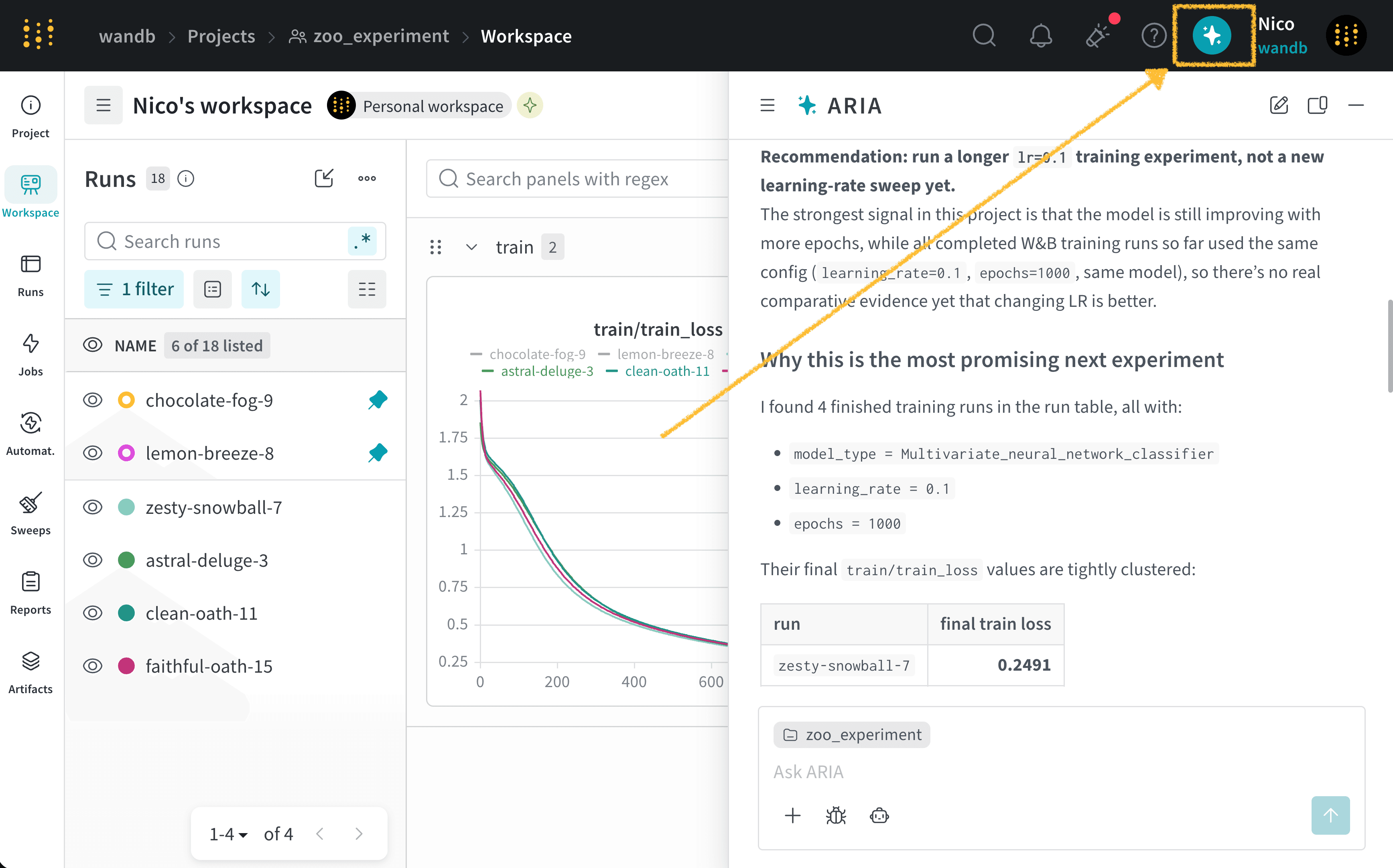
- In the chat window, type your question or request. If you are unsure what to ask, select a suggested prompt.
- Click the Send button, the upward-pointing arrow in the lower-right corner of the chat window.
- Thinking steps summarize how ARIA approaches your question.
- shell steps show when ARIA takes an action, such as creating a panel, filtering runs, creating and running Python scripts, and more.
Example chats
The following are examples of real chats with ARIA to illustrate how you can interact with ARIA and the types of responses you can expect.Run experiments based on ARIA's recommendations
Run experiments based on ARIA's recommendations
Suppose you are an ML Engineer who has just completed a series of experiments. You want to understand what the next steps should be to improve your model’s performance.To do this, you navigate to your the project where you logged runs. You open ARIA and ask:The following is an example of how ARIA responded to this question. First, ARIA makes reasoning steps to determine how to approach the question. For brevity, only a portion of ARIA’s reasoning is shown below:You agree with ARIA’s recommendation and ask ARIA to run the experiment for you:ARIA uses W&B Launch to run the experiment in a sandbox environment. The following image shows ARIA’s response after it has completed running the experiment: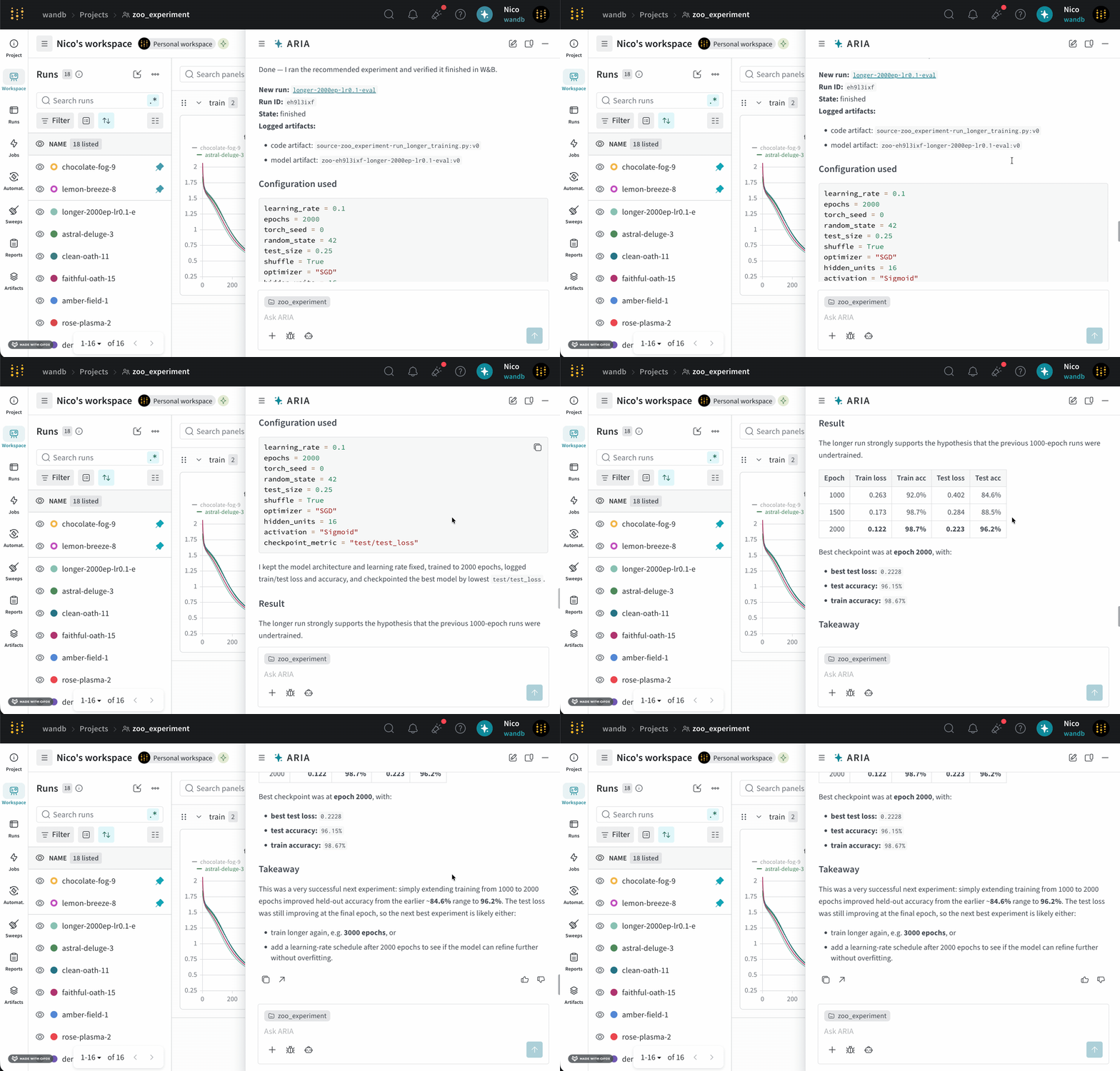
User prompt
ARIA reasoning steps
User prompt
Gain insights on your experiments
Gain insights on your experiments
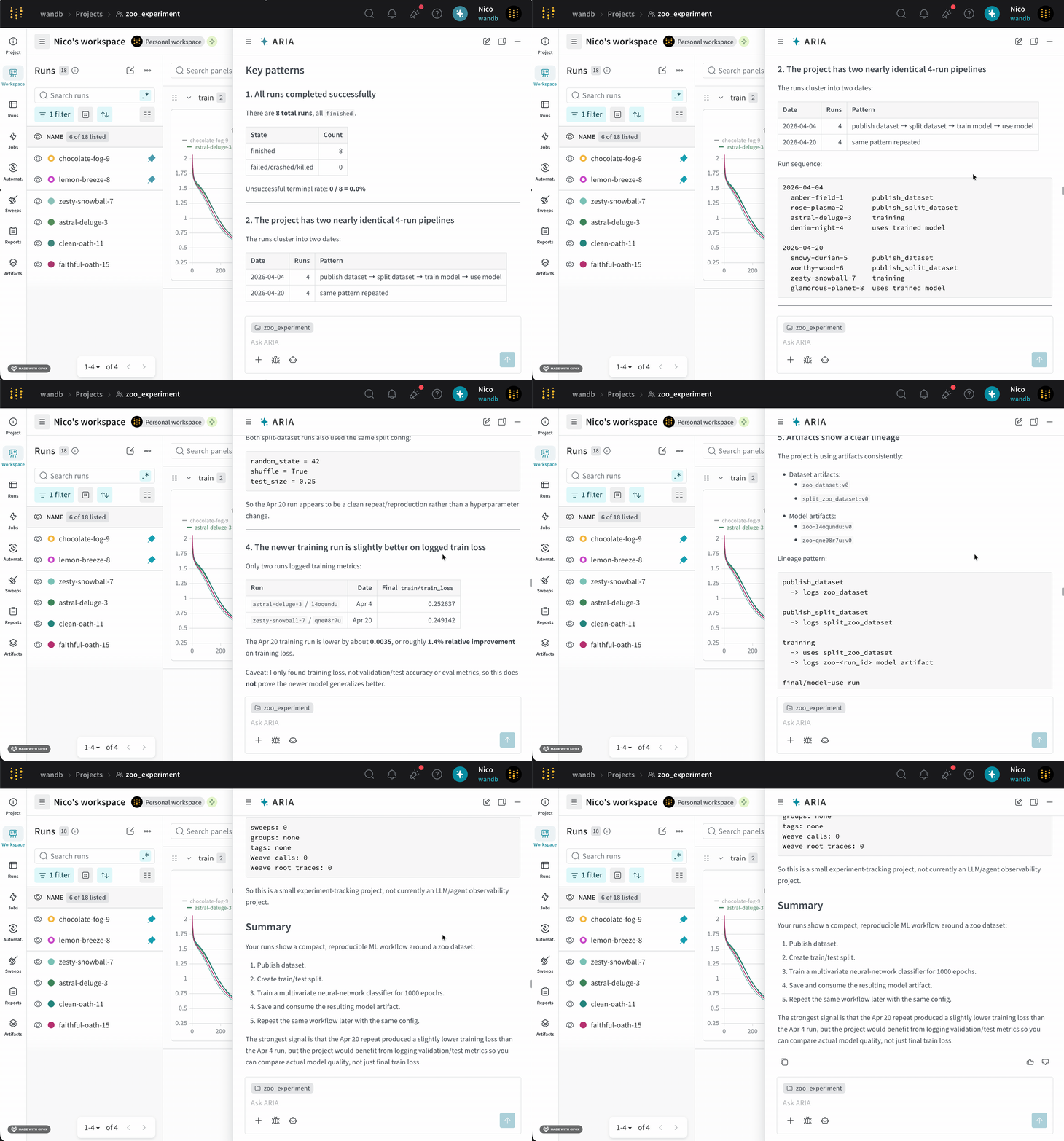
Suppose you are an ML Engineer who has just completed a series of runs for a new model. You want to understand how your model performed, identify potential issues, and decide on your next steps.To do this, you navigate to your the project where you logged runs. You open ARIA and ask:The following is an example of how ARIA might respond to this question. First, ARIA makes reasoning steps to determine how to approach the question:ARIA identifies that it needs to analyze the data across runs to answer the question. To do this, ARIA creates a Python script (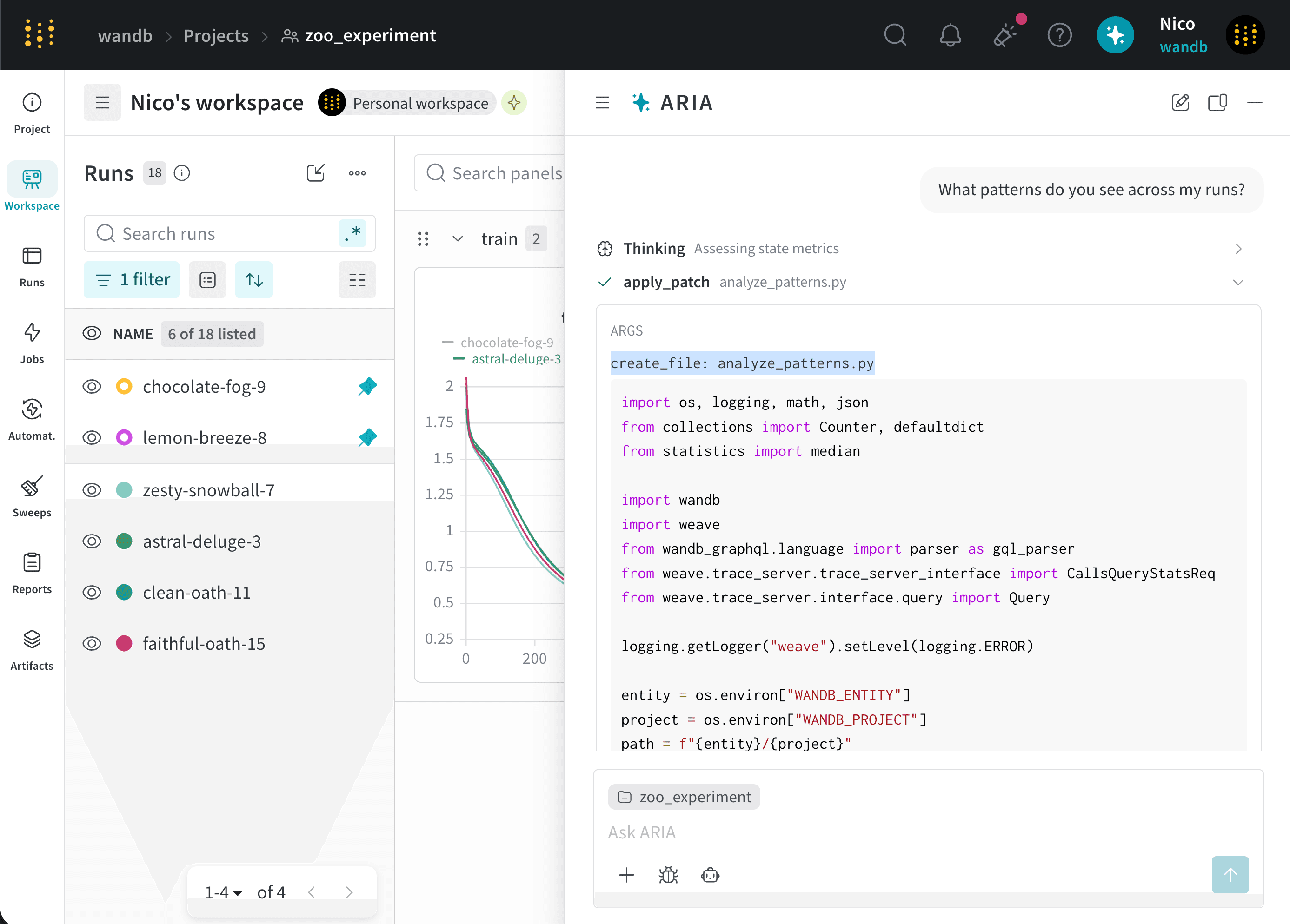
User prompt
ARIA reasoning steps
analyze_patterns.py) that uses the W&B Python SDK to query previously logged runs to identify patterns in the data. Once the script is generated, ARIA executes it within a sandbox environment.validation/test metrics and recommended logging those metrics in future runs to better understand the model’s performance.As a next step, you can ask ARIA to help set up an experiment with validation metrics logged. For example, you can ask ARIA:User prompt
Get recommendations for hyperparameter tuning
Get recommendations for hyperparameter tuning
Suppose you are an ML Engineer who has just completed a series of runs for a new model. You want to understand how your model performed and get recommendations for how to improve your model’s performance in future runs. You decide to ask ARIA for recommendations on hyperparameter tuning.You might ask ARIA:ARIA might respond with the following reasoning steps:ARIA identifies that it needs to analyze the hyperparameters used in previous runs and their relationship to the training loss to provide recommendations for hyperparameter tuning.ARIA identifies that the given project used a learning rate of 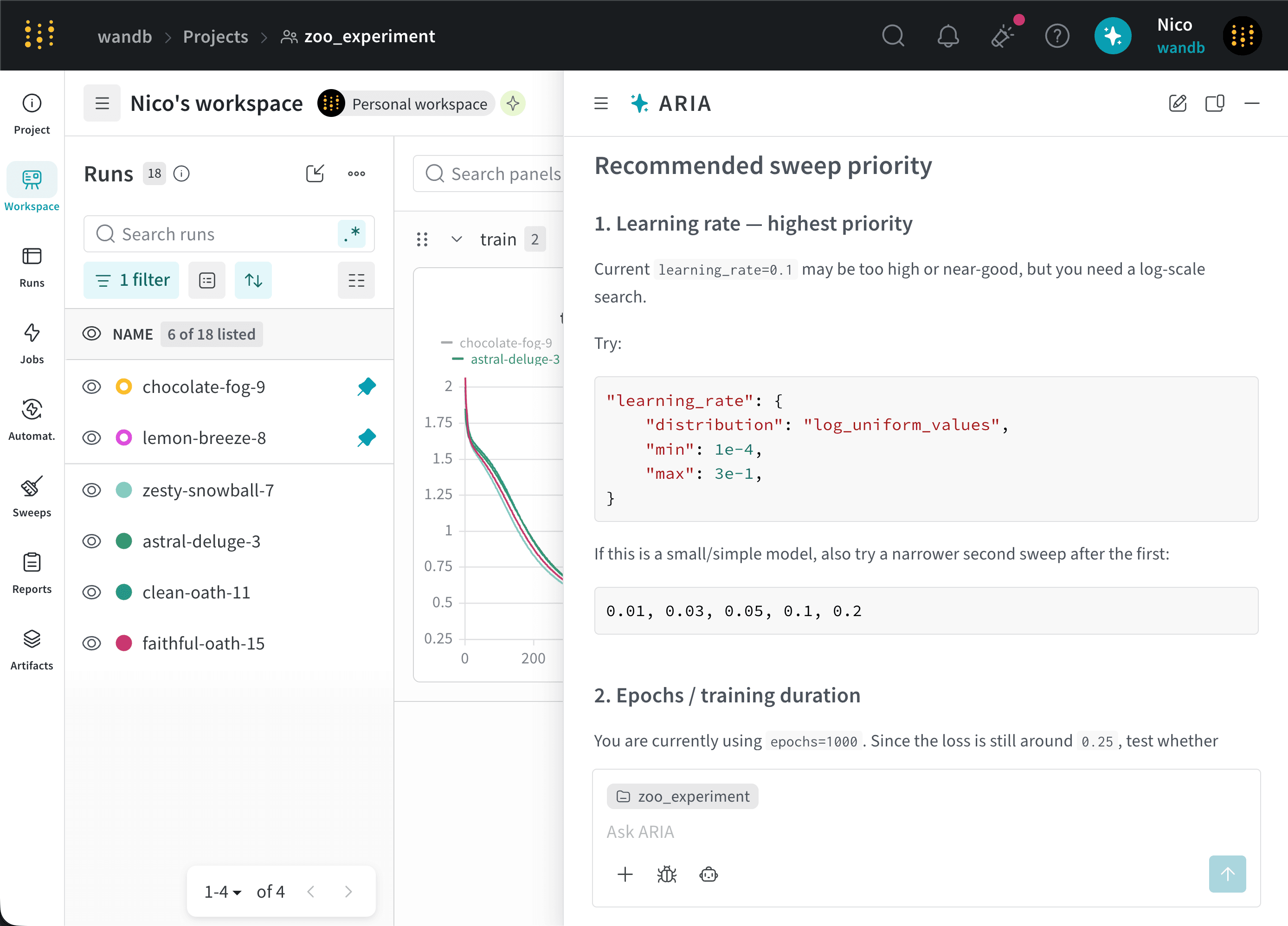
User prompt
ARIA reasoning steps
0.01 for all runs. Based on these insights, ARIA recommends trying a lower learning rate, such as 0.001, in future runs to see if that helps improve the model’s performance.ARIA also identifies that of the runs that use the SGD optimizer. Based on this insight, ARIA recommends trying a different optimizer, such as Adam (Adaptive Moment Estimation), in future runs to see if that helps improve the model’s performance.The following image shows a portion of ARIA’s response with its recommendations for hyperparameter tuning:Suppose you are a data scientist who has been analyzing your project’s runs and identified interesting patterns in the data. You want to share these insights with your team in an easy-to-digest format. You decide to ask ARIA to help you create a W&B Report.To do this, you open ARIA and ask:ARIA might respond with the following reasoning steps:ARIA identifies that it needs to create a W&B Report that summarizes the insights it found in the data. As part of its reasoning process, it generates a Python script that uses the W&B SDK to create a report with the relevant data and insights. ARIA executes this script in a sandbox environment, which creates a W&B Report in your project.The following image shows how ARIA creates a W&B Report in the sandbox environment and then returns the link to the report in the chat: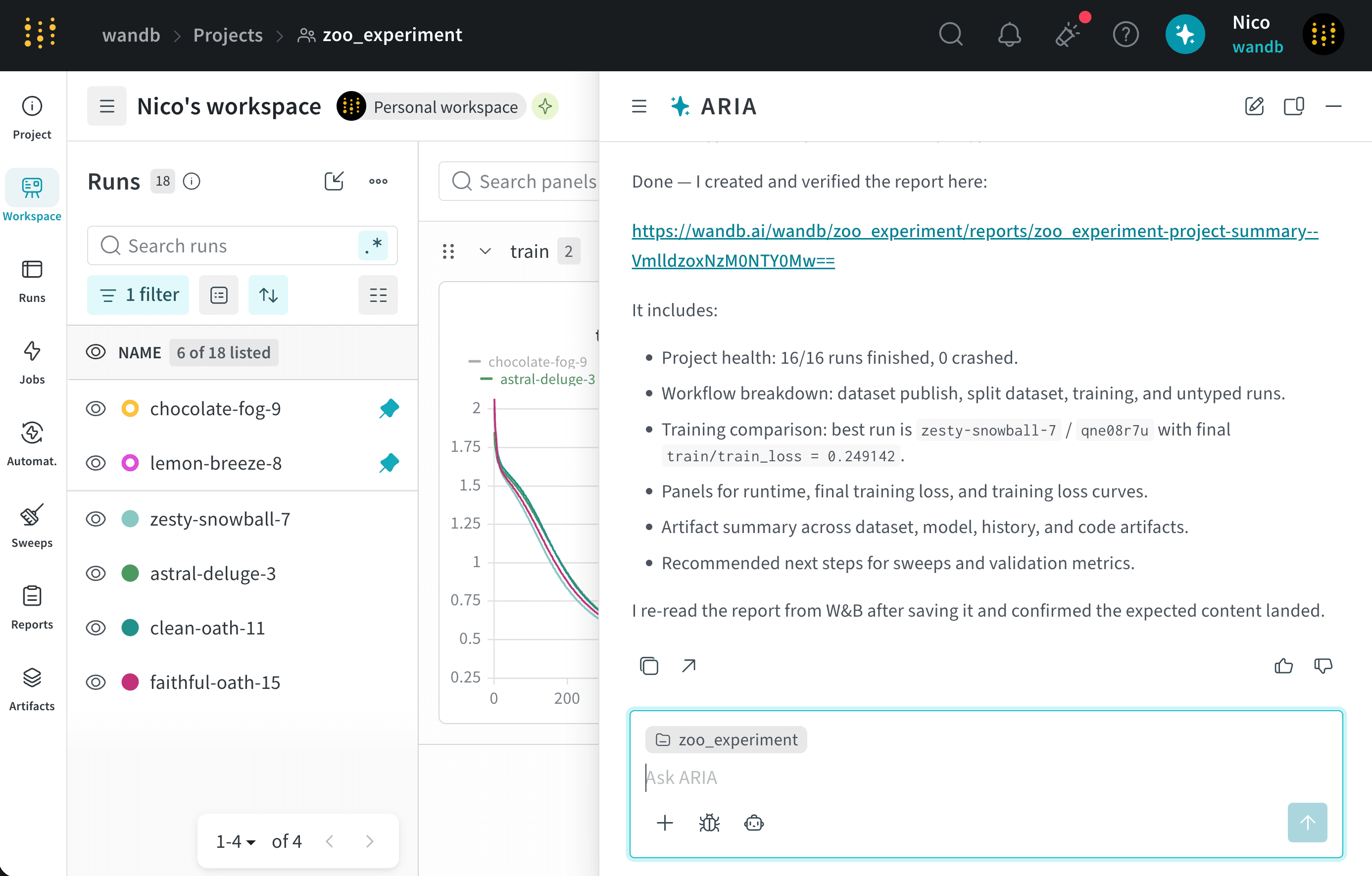
User prompt
ARIA reasoning steps
Under the hood, ARIA creates a W&B Report using the Workspaces and Reports API.