

- Evaluation metrics tracking over time
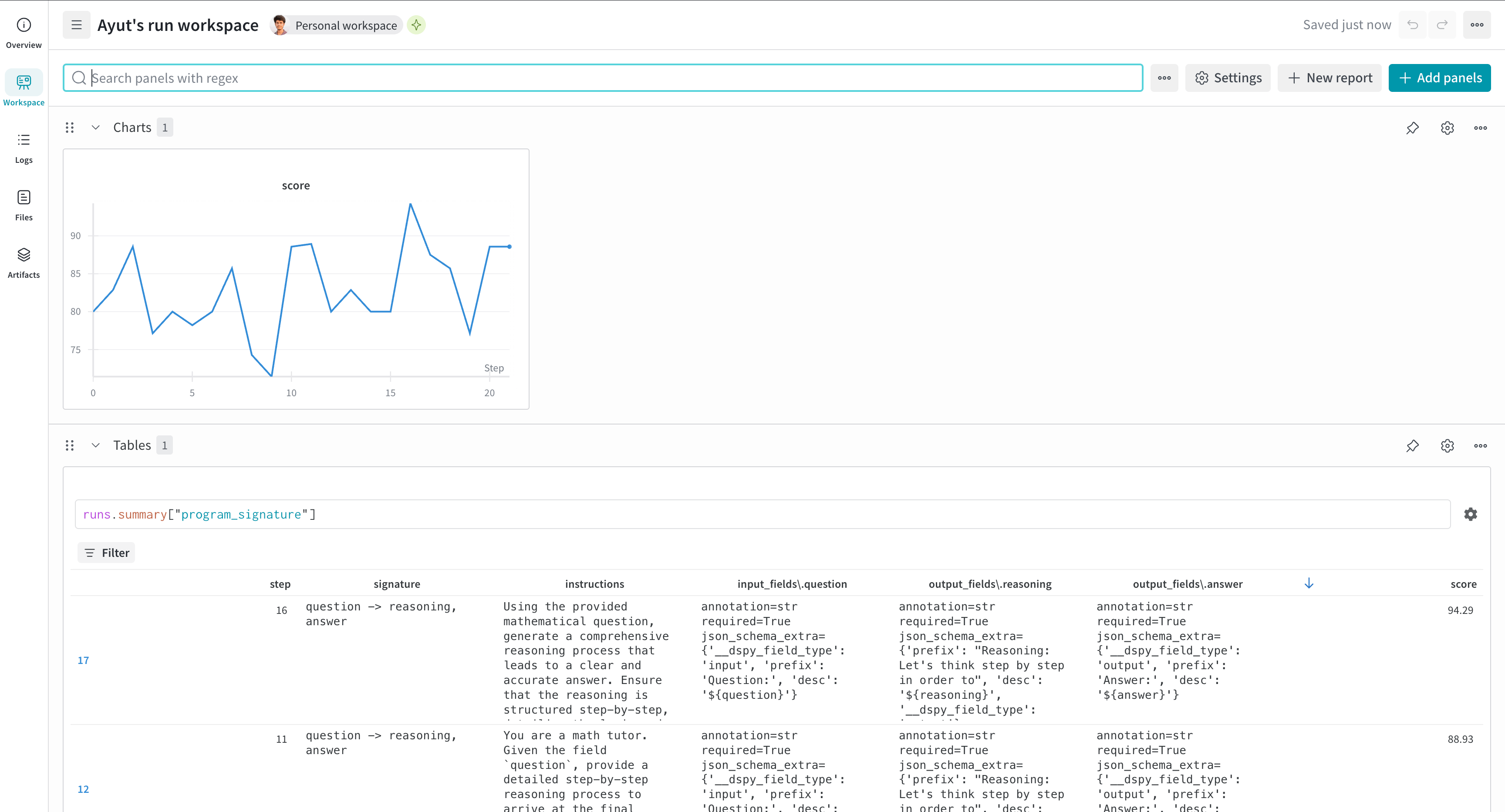
- W&B Tables for program signature evolution
- Integration with DSPy optimizers like MIPROv2
NoteAs of
wandb==0.21.2 and weave==0.52.5, Weave initializes automatically when used with W&B:- If
weaveis imported and thenwandb.init()is called (script case) - If
wandb.init()was called and thenweaveis imported later (notebook/Jupyter case)
weave.init(...) call is required.Install and authenticate
Install the required libraries and authenticate with W&B:- Command Line
- Python
- Notebook
-
Install the required libraries:
-
Set the
WANDB_API_KEYenvironment variable and log in:
Track program optimization (experimental)
For DSPy optimizers that usedspy.Evaluate (such as MIPROv2), use the WandbDSPyCallback to log evaluation metrics over time and track program signature evolution in W&B Tables.
run object is not passed to WandbDSPyCallback, the global run object is used.
Log predictions to W&B Tables
Enable detailed prediction logging to inspect individual examples during optimization. The callback creates a W&B Tables for each evaluation step, which can help you to analyze specific successes and failures.Access prediction data
After optimization, find your prediction data in W&B:- Navigate to your run’s Overview page.
- Look for Table panels named with a pattern like
predictions_0,predictions_1, and so forth. - Filter by
is_correctto analyze failures. - Compare tables across runs in the project workspace.
example: Input dataprediction: Model outputis_correct: Evaluation result