

- W&B Python SDK (
wandb.sdk): to log and monitor experiments during training. - W&B Public API (
wandb.apis.public): to query and analyze logged experiment data. - W&B Reports and Workspaces API (
wandb.wandb-workspaces): to create a report to summarize findings.
Sign up and create an API key
To authenticate your machine with W&B, you must first generate an API key at wandb.ai/settings. Copy the API key and store it securely.Install and import packages
Install the W&B library and some other packages you will need for this walkthrough.Train a model
The following code simulates a basic machine learning workflow: training a model, logging metrics, and saving the model as an artifact. Use the W&B Python SDK (wandb.sdk) to interact with W&B during training. Log the loss using wandb.Run.log(), then save the trained model as an artifact using wandb.Artifact before finally adding the model file using Artifact.add_file.
- Use
wandb.Run.log()to log metrics during training. - Use
wandb.Artifactto save models (datasets, and so forth) as an artifact to your W&B project.
wandb.Run.use_artifact() to retrieve the artifact from your project and prepare it for publication in the Model registry. wandb.Run.use_artifact() serves two key purposes:
- Retrieves the artifact object from your project.
- Marks the artifact as an input to the run, ensuring reproducibility and traceability. See Create and view lineage map for details.
View the training data in the dashboard
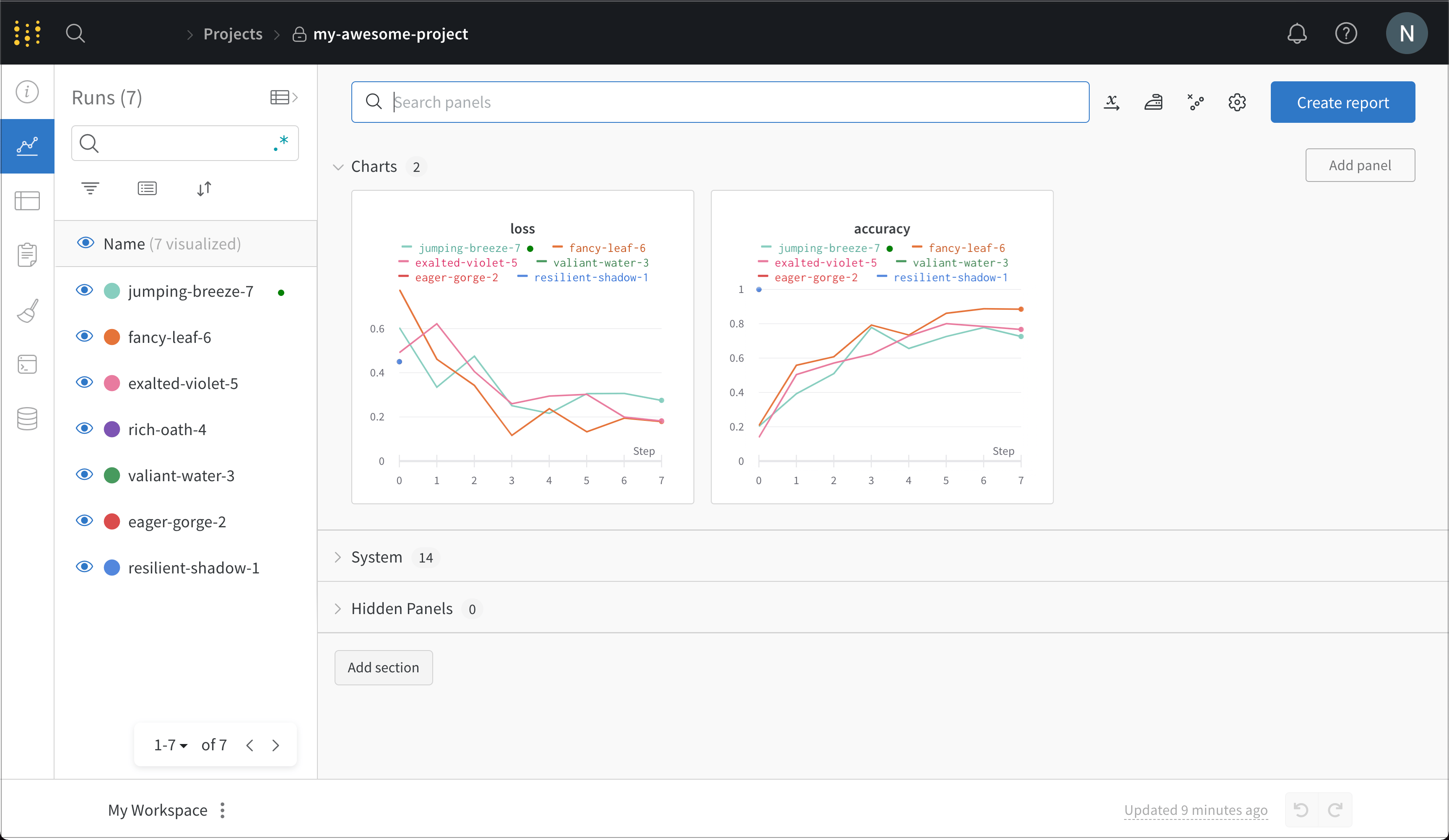
Log in to your account at https://wandb.ai/login Under Projects you should seemy-awesome-project (or whatever you used as a project name above). Click this to enter the workspace for your project.
From here, you can see details about every run you’ve done. In this screenshot, the code was re-run several times, generating a number of runs, each of which is given a randomly-generated name.
Publish the model to the W&B Registry
To share the model with others in your organization, publish it to a collection usingwandb.Run.link_artifact(). The following code links the artifact to a registry, making it accessible to your team.
wandb.Run.link_artifact(), the model artifact will be in the DemoModels collection in your registry. From there, you can view details such as the version history, lineage map, and other metadata.
For additional information on how to link artifacts to a registry, see Link artifacts to a registry.
Retrieve model artifact from registry for inference
To use a model for inference, usewandb.Run.use_artifact() to retrieve the published artifact from the registry. This returns an artifact object that you can then use wandb.Artifact.download() to download the artifact to a local file.
Share your finds with a report
W&B Report and Workspace API is in Public Preview.