

This is an interactive notebook. You can run it locally or use the following links:
Why use Weave
This tutorial uses Weave to implement and evaluate a code generation pipeline. You learn how to:- Track your LLM pipeline: Log inputs, outputs, and intermediate steps of your code generation process.
- Evaluate LLM outputs: Create and compare evaluations of your generated code with debugging tools and visualizations.
Set up the environment
Set up your environment and import the necessary libraries. These dependencies provide the formatting tools, dataset loader, and OpenAI and Weave clients used throughout the pipeline.Weave automatically tracks OpenAI API calls, including inputs, outputs, and metadata. You don’t need to add any additional logging code for your OpenAI interactions. Weave handles it in the background.
Structured outputs and Pydantic models
This code generation pipeline uses OpenAI’s structured outputs mode and Pydantic models to produce consistent and well-formatted responses from the language model. This approach offers several advantages:- Type safety: Defining Pydantic models for the expected outputs enforces a strict structure for the generated code, program runners, and unit tests.
- Easier parsing: The structured output mode parses the model’s response directly into the predefined Pydantic models, reducing the need for complex post-processing.
- Improved reliability: Specifying the exact format you expect reduces the likelihood of unexpected or malformed outputs from the language model.
Implement a code formatter
To produce consistent and clean code output, implement aCodeFormatter class using Weave operations. This formatter applies linting and styling rules to the generated code, program runner, and unit tests.
CodeFormatter class provides several Weave operations to clean and format the generated code:
- Replacing escaped newlines with actual newlines.
- Removing unused imports and variables.
- Sorting imports.
- Applying PEP 8 formatting.
- Adding missing imports.
Define the CodeGenerationPipeline
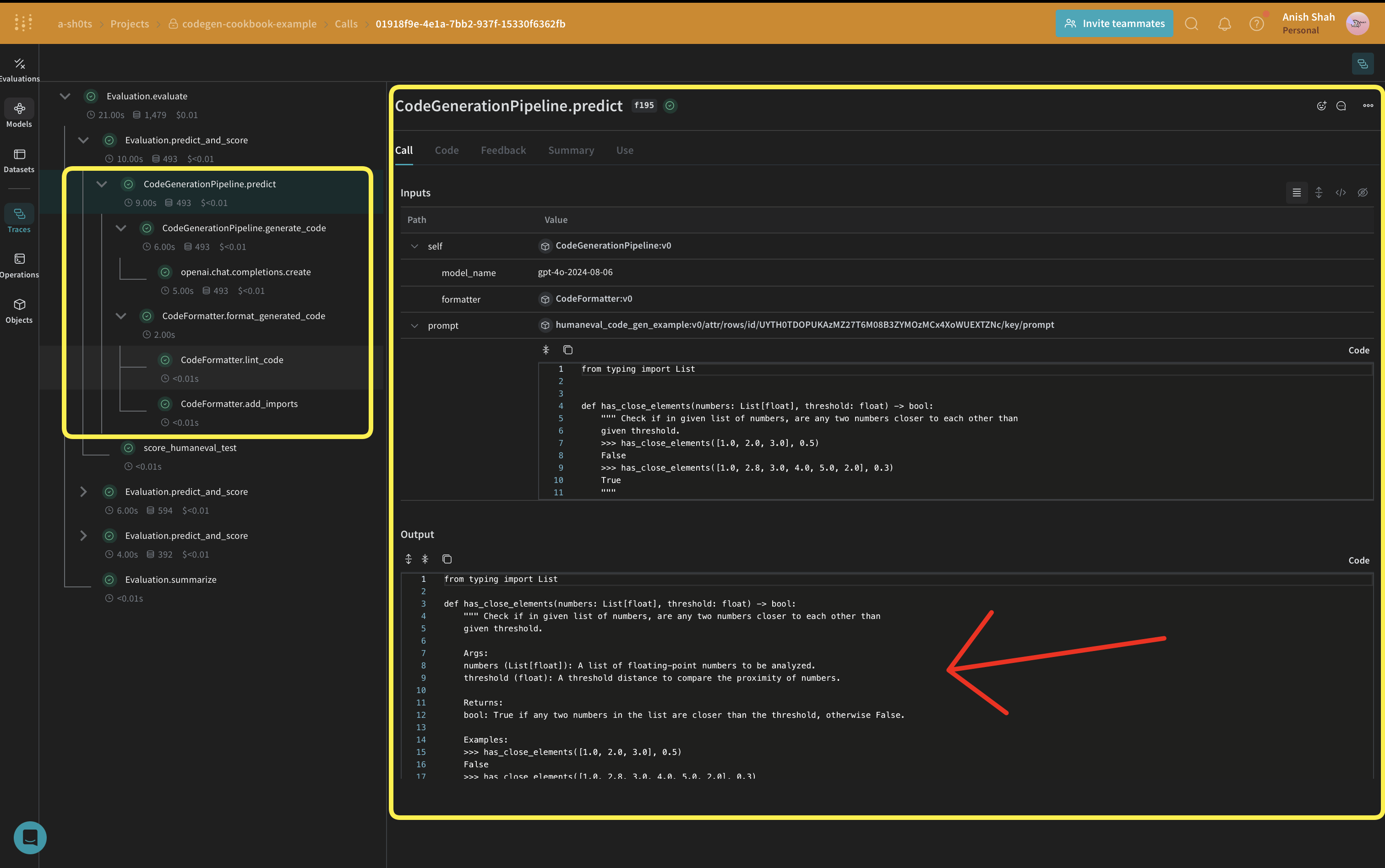
weave.Model so that the model is automatically versioned when it changes. The model_name is kept as an attribute so that you can experiment with it and diff and compare it in Weave. Function calls are tracked with @weave.op so the inputs and outputs are logged to help with error tracking and debugging.
CodeGenerationPipeline class encapsulates the code generation logic as a Weave Model, providing several benefits:
- Automatic experiment tracking: Weave captures inputs, outputs, and parameters for each run of the model.
- Versioning: Changes to the model’s attributes or code are automatically versioned, creating a history of how your code generation pipeline evolves over time.
- Reproducibility: The versioning and tracking let you reproduce any previous result or configuration of your code generation pipeline.
- Hyperparameter management: Model attributes (like
model_name) are defined and tracked across different runs, facilitating experimentation. - Integration with Weave ecosystem: Using
weave.Modelconnects your pipeline to other Weave tools, such as evaluations and serving capabilities.
Implement evaluation metrics
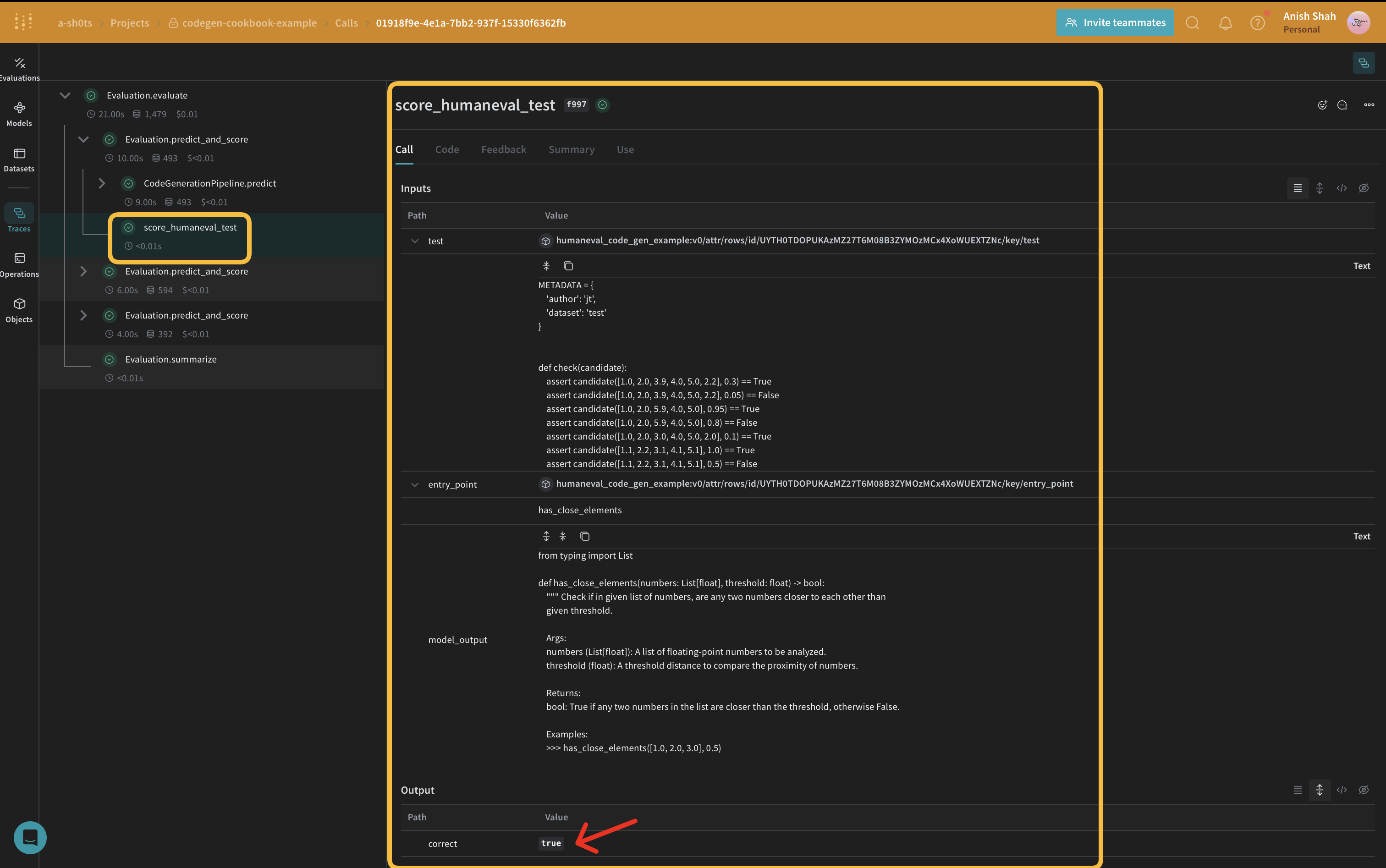
To assess the quality of the generated code, implement evaluation metrics using aweave.Scorer subclass. This runs score on every model_output from the dataset. model_output comes from the output of the predict function in the weave.Model. prompt is taken from the human-eval dataset.
Create a Weave Dataset and run evaluation
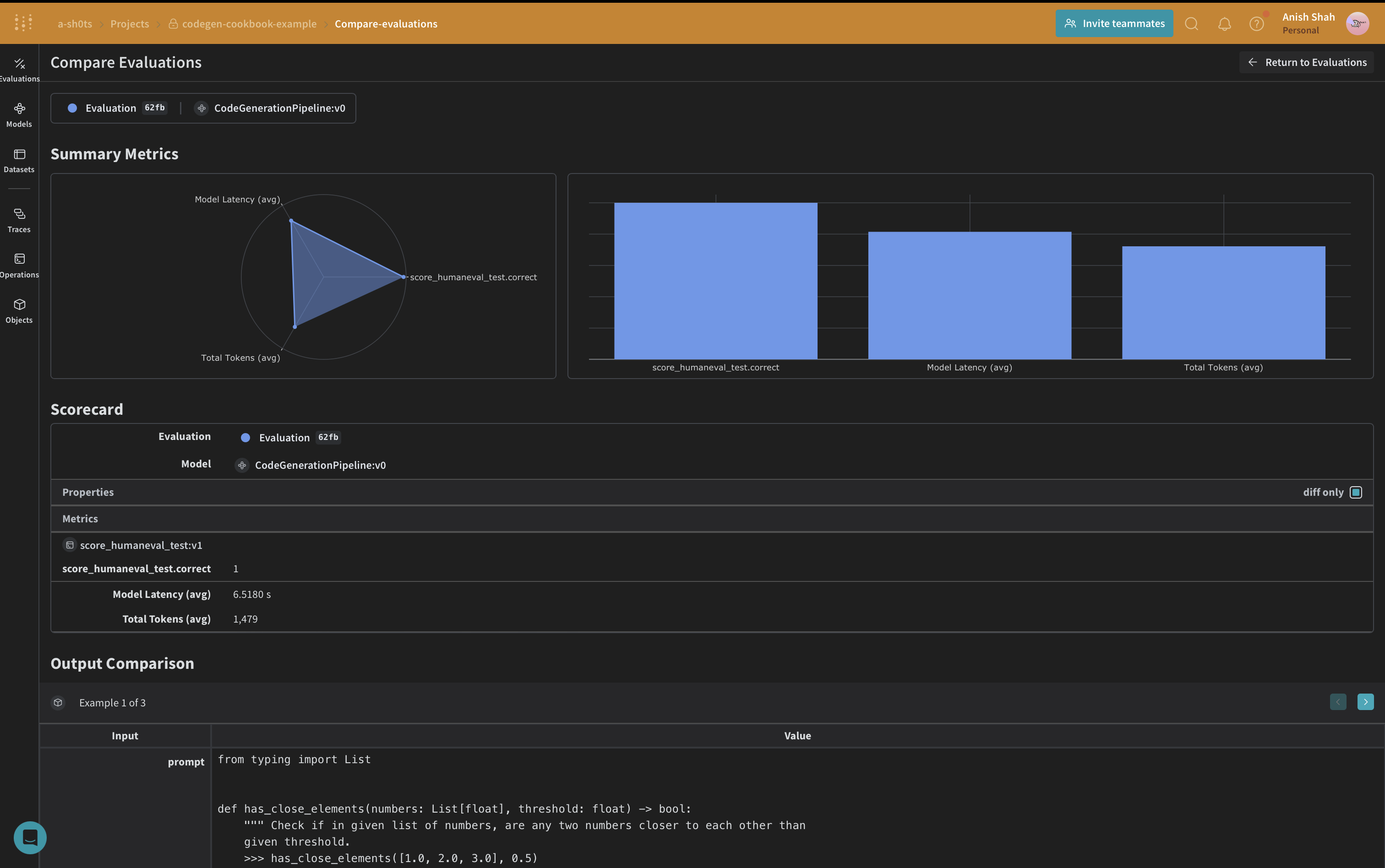
With the pipeline and scorer defined, the final step is to assemble the evaluation dataset and run it end-to-end. To evaluate the pipeline, create a Weave Dataset and run an evaluation:Conclusion
This example demonstrates how to implement a code generation pipeline using Weave and OpenAI’s language models. You learned how to:- Create Weave operations for each step of the code generation process.
- Wrap the pipeline in a Weave Model for streamlined tracking and evaluation.
- Implement custom evaluation metrics using Weave operations.
- Create a dataset and run an evaluation of the pipeline.