

W&B logging at your fingertips
- Command line
- Recipe
Override command line arguments at launch:
Use the W&B metric logger
Enable W&B logging on the recipe’s config file by modifying themetric_logger section. Change the _component_ to torchtune.utils.metric_logging.WandBLogger class. You can also pass a project name and log_every_n_steps to customize the logging behavior.
You can also pass any other kwargs as you would to the wandb.init() method. For example, if you are working on a team, you can pass the entity argument to the WandBLogger class to specify the team name.
- Recipe
- Command Line
What is logged?
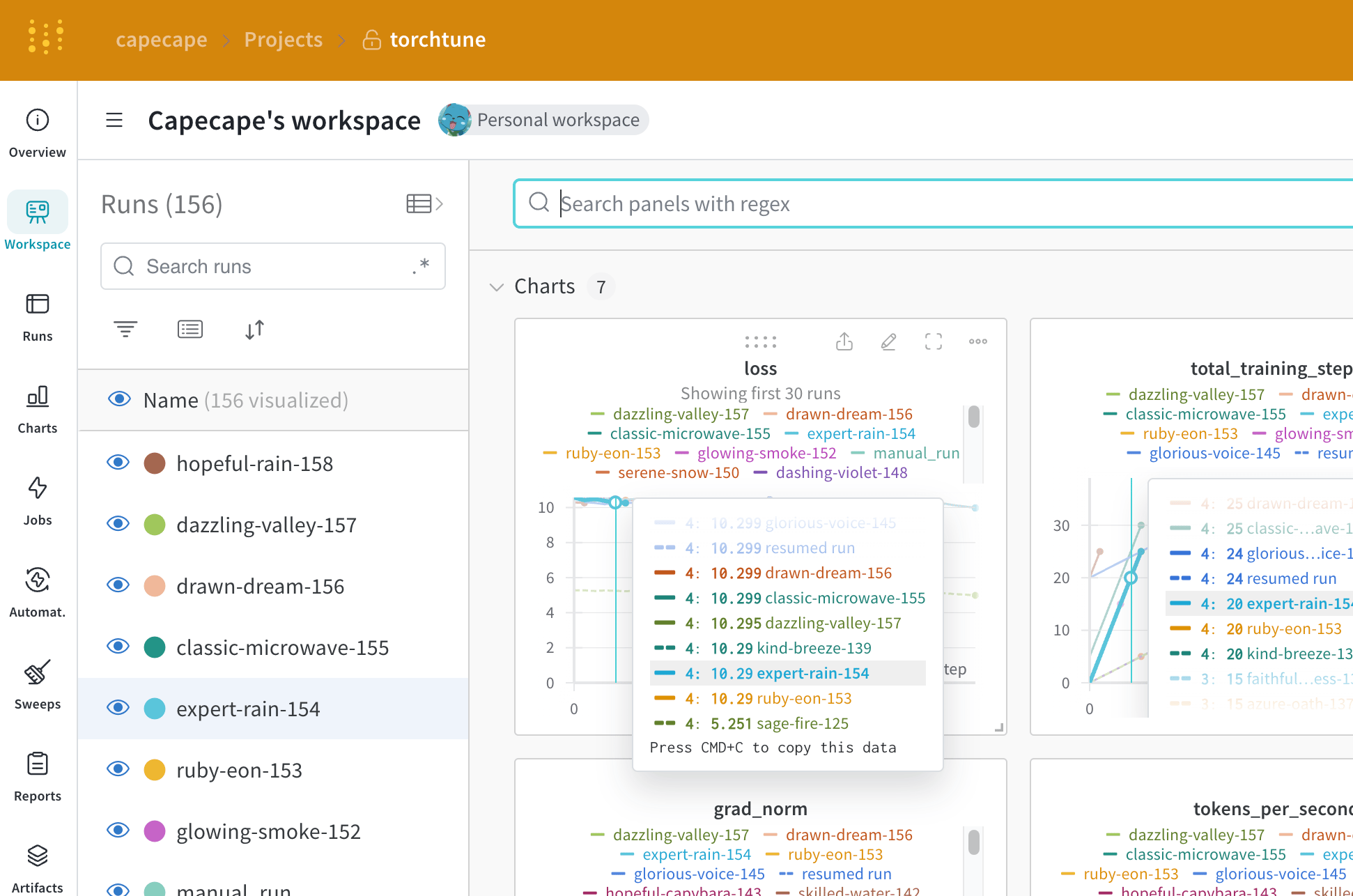
You can explore the W&B dashboard to see the logged metrics. By default W&B logs all of the hyperparameters from the config file and the launch overrides. W&B captures the resolved config on the Overview tab. W&B also stores the config in YAML format on the Files tab.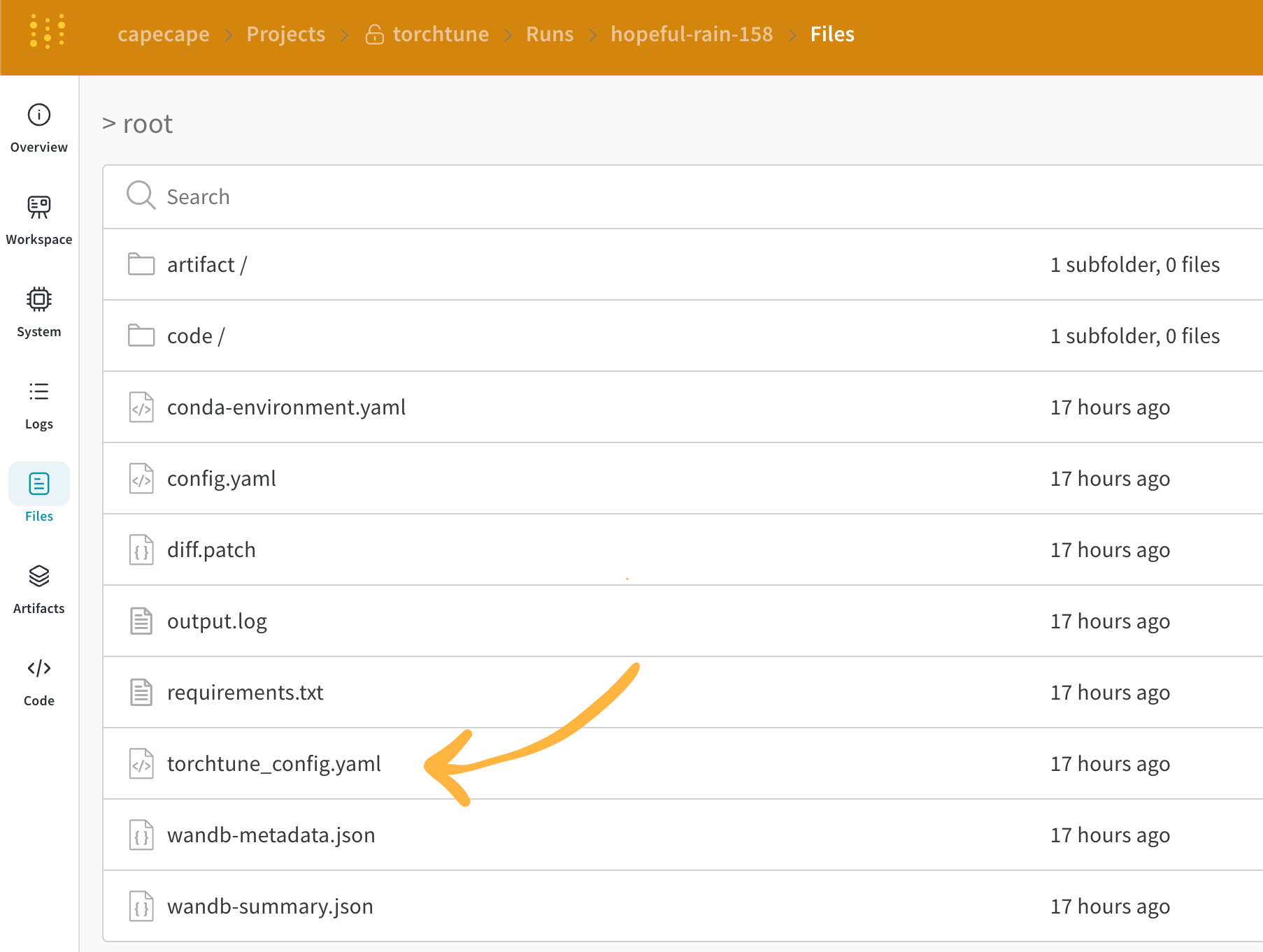
Logged metrics
Each recipe has its own training loop. Check each individual recipe to see its logged metrics, which include these by default:| Metric | Description |
|---|---|
loss | The loss of the model |
lr | The learning rate |
tokens_per_second | The tokens per second of the model |
grad_norm | The gradient norm of the model |
global_step | Corresponds to the current step in the training loop. Takes into account gradient accumulation, basically every time an optimizer step is taken, the model is updated, the gradients are accumulated and the model is updated once every gradient_accumulation_steps |
global_step is not the same as the number of training steps. It corresponds to the current step in the training loop. Takes into account gradient accumulation, basically every time an optimizer step is taken the global_step is incremented by 1. For example, if the dataloader has 10 batches, gradient accumulation steps is 2 and run for 3 epochs, the optimizer will step 15 times, in this case global_step will range from 1 to 15.current_epoch as a percentage of the total number of epochs as following:
This is a fast evolving library, the current metrics are subject to change. If you want to add a custom metric, you should modify the recipe and call the corresponding
self._metric_logger.* function.Save and load checkpoints
The torchtune library supports various checkpoint formats. Depending on the origin of the model you are using, you should switch to the appropriate checkpointer class. If you want to save the model checkpoints to W&B Artifacts, the simplest solution is to override thesave_checkpoint functions inside the corresponding recipe.
Here is an example of how you can override the save_checkpoint function to save the model checkpoints to W&B Artifacts.